
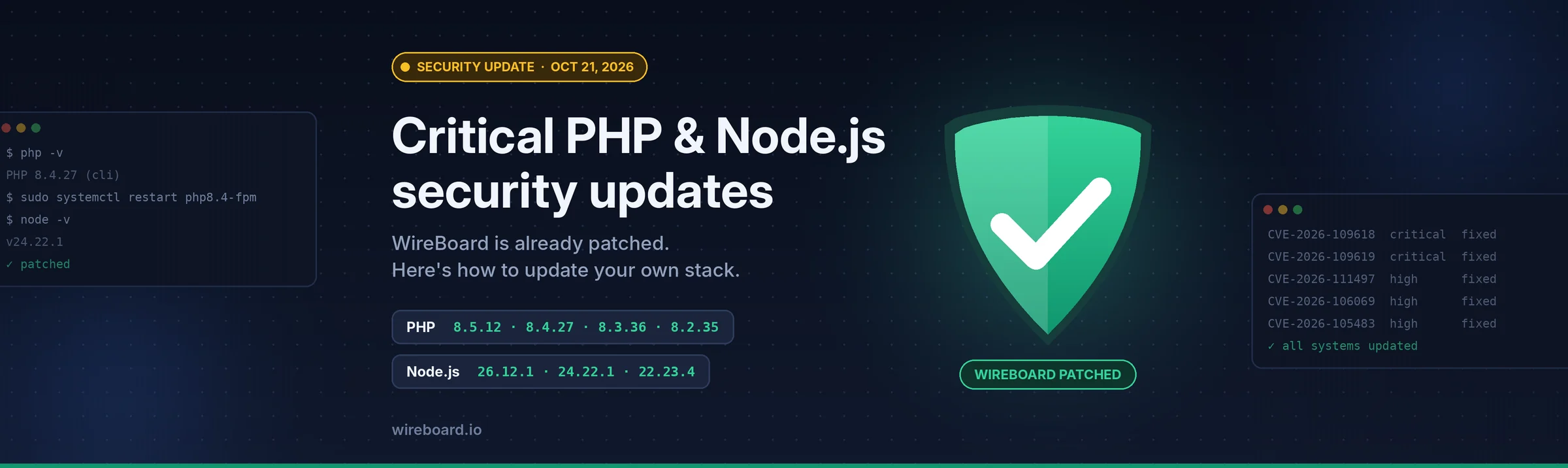
Today, October 21, 2026, both PHP and Node.js released security updates. The PHP fixes in particular are serious: they close two critical flaws that let an attacker run code on a web server without logging in, and attacks were reported before the patch was even published.
WireBoard has already been updated. There was no downtime, and you don't need to do anything for your WireBoard account or tracking script.
If your own website or app runs on PHP or Node.js, though, please read on and update today.
TL;DR
Update to | Severity | |
|---|---|---|
PHP | 8.5.12, 8.4.27, 8.3.36 or 8.2.35 (or your vendor's patched package) | Critical (CVSS 9.2), unauthenticated remote code execution |
Node.js | 26.12.1, 24.22.1 or 22.23.4 | High |
Using WordPress, Magento, Drupal, Laravel or another PHP app? You're running PHP. Update now.
On shared or managed hosting? Your host applies the PHP fix. Check that they have.
After updating PHP, restart PHP-FPM or Apache, otherwise the old version keeps running.
On an end-of-life version (PHP 8.1 or older, Node.js 25, 23, 20 or older)? You won't get an official fix. Plan a move to a supported version.
What happened
PHP: "PHP2Shell" (CVE-2026-109618 and CVE-2026-109619)
The PHP team released fixes for two critical vulnerabilities, both rated 9.2 on the CVSS v4.0 scale:
CVE-2026-109618: remote code execution via memory corruption when PHP runs out of memory mid-request.
CVE-2026-109619: remote code execution via stale global state.
Both can be triggered remotely, without authentication, on default configurations. Details leaked online the day before the planned release, so security firms saw attacks and probing against PHP sites before the patch was available, and several companies took their services offline as a precaution until they could update.
Every supported PHP branch is affected in versions before 8.2.35, 8.3.36, 8.4.27 and 8.5.12.
Node.js: October 2026 security release
Node.js shipped fixes for its 26.x, 24.x and 22.x release lines covering 10 vulnerabilities, 4 of them rated High. The most notable:
CVE-2026-111497: an out-of-bounds write in the Brotli decompressor that could allow remote code execution. Your app can hit this just by calling
fetch()on a server that returns Brotli-compressed data.CVE-2026-105483 / CVE-2026-106069: ways to bypass TLS hostname verification using unusual spellings of IP addresses.
CVE-2026-105482:
dns.resolvecould look up a different name than the one your code checked.
What we did
We applied both updates across WireBoard's infrastructure today. The rollout was seamless: no downtime, no data affected, and nothing changes in how you use WireBoard.
Are you affected?
You need to act if your website, app or server uses:
PHP, directly or through a CMS or framework such as WordPress, WooCommerce, Magento, Drupal, Joomla, Laravel or Symfony.
Node.js, for example a Next.js, Nuxt, Express or NestJS app, or any backend service or build server running Node.
Not sure? Ask your developer or hosting provider. "Does our site run on PHP or Node.js, and has it been updated to today's security release?" is all you need to ask.
How to check your version
PHP
The version your web server uses is the one that matters. php -v in a terminal shows the command-line PHP, which may differ.
Create a file called
info.phpin your site's web root containing<?php phpinfo();Open it in your browser and check the PHP Version at the top.
Delete the file immediately afterwards: it exposes your full server configuration.
Many hosting control panels (cPanel, Plesk and so on) also show the PHP version.
Note for Linux distribution packages: Ubuntu, Debian, RHEL and similar often backport the fix without changing the version number. In that case, check the package changelog for the CVE IDs instead (see below).
Node.js
node -v
You're patched if it shows v26.12.1, v24.22.1, v22.23.4 or newer within the same line.
How to update PHP
Pick the section that matches how PHP is installed on your server.
Shared or managed hosting
Your provider manages PHP and applies the fix. Check their status page or announcements, then confirm the version with phpinfo() as above. If your control panel lets you choose a PHP version and you're on 8.1 or older, switch to 8.2 or newer, after checking that your CMS and plugins support it.
Ubuntu / Debian
sudo apt update
# replace 8.3 with the PHP branch you use
sudo apt install --only-upgrade 'php8.3-*'

# confirm the fix is included
apt changelog php8.3-fpm | grep -E 'CVE-2026-10961(8|9)'
If the last command prints nothing, the fix hasn't reached your distribution's repository yet. Check Ubuntu Security Notices or the Debian Security Tracker and try again later. If you use Ondřej Surý's PHP packages, update from that repository the same way.
RHEL / AlmaLinux / Rocky Linux
dnf module list php          # see which PHP stream you're on
sudo dnf upgrade 'php*'

# confirm the fix is included
rpm -q --changelog php-fpm | grep -E 'CVE-2026-10961(8|9)'
If you use the Remi repository, update from there.
Docker
Pulling a new image doesn't update containers that are already running. Pull, rebuild and recreate:
docker pull php:8.3-fpm        # use your tag
docker compose build --pull
docker compose up -d
For extra certainty, pin the patched version in your Dockerfile (for example FROM php:8.3.36-fpm).
Built from source or Windows
Download the patched release from php.net/downloads.
Then restart PHP
This step is easy to miss. Running processes keep using the old PHP until they restart:
# PHP-FPM (Debian/Ubuntu; replace 8.3 with your branch)
sudo systemctl restart php8.3-fpm

# PHP-FPM (RHEL family)
sudo systemctl restart php-fpm

# Apache with mod_php
sudo systemctl restart apache2   # or httpd on RHEL
Then check phpinfo() again to confirm the new version is live.
"Can I just change a setting instead?"
No. Some early workarounds circulated, such as turning off session.upload_progress.enabled. These only reduce risk. A PHP core developer said publicly that updating PHP is the only real mitigation. If you applied a workaround, keep it until you've updated, but do update.
How to update Node.js
Installed via | How to update |
|---|---|
nvm |
|
Official installer | Download the latest version for your line from nodejs.org/en/download |
Docker | Pin the patched tag, e.g. |
Homebrew |
|
Linux package manager | Update through your distribution or NodeSource repository as usual. |
Hosting platform (Vercel, Netlify, Heroku, Render, etc.) | Check your platform's runtime settings and announcements; most roll out patched runtimes automatically, but you may need to redeploy. |
After updating, restart your app (or redeploy) and confirm with node -v.
If you're on an end-of-life version
Official fixes only ship for supported versions:
PHP: 8.2, 8.3, 8.4 and 8.5. PHP 8.1 and older get no official release. Some Linux distributions and paid long-term-support vendors backport fixes, so check with yours; otherwise, upgrading to a supported branch is the safe path. Note that PHP 8.2 only receives security fixes until December 31, 2026.
Node.js: 22.x, 24.x and 26.x. Lines such as 25, 23 and 20 are end-of-life and get no fix.
If you can't upgrade right away, consider putting the site behind a web application firewall or restricting access until you can.
Learn more
Official advisories
Helpful guides
GoDaddy: Important PHP security update, what website owners need to do (plain-language overview)
ma.ttias.be: How to apply the PHP patches (distribution-by-distribution status)
Lilting: Node.js October 2026 fixes explained (technical deep dive)