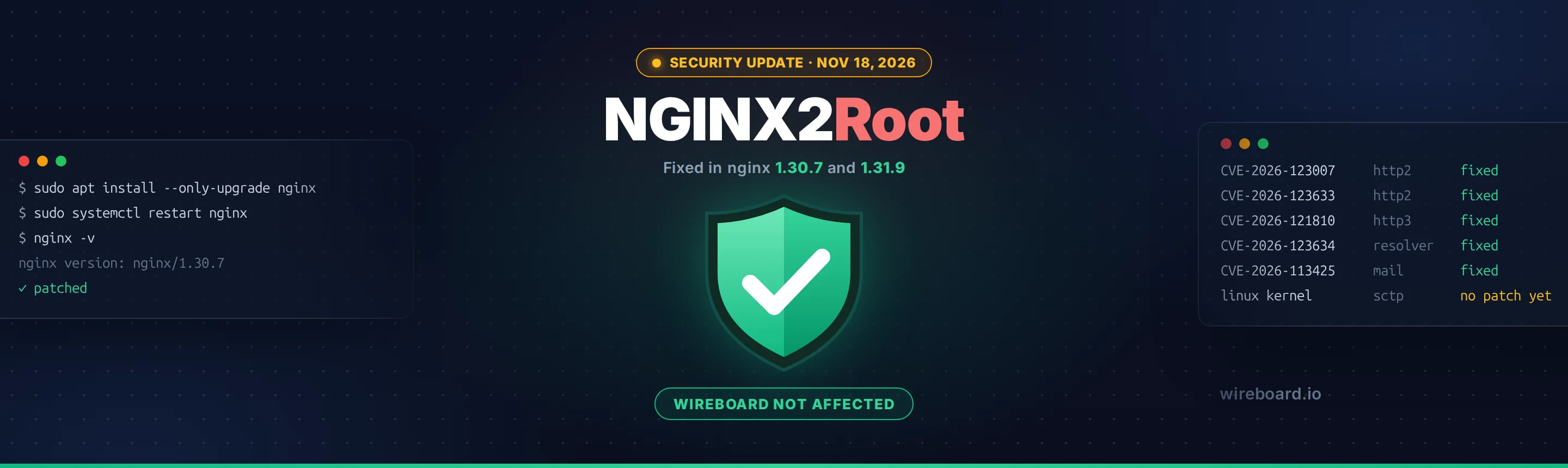
On November 18, 2026, the nginx team released security updates that fix ten vulnerabilities. Five of them, nicknamed NGINX2Root by the researchers who reported them, are critical: on a server with the affected features turned on, an attacker can run code without logging in. The same researchers found a Linux kernel bug, still unpatched, that turns that foothold into full control of the machine, even from inside a Docker container.
nginx powers a large share of the web, often hidden inside hosting stacks, Docker images and Kubernetes clusters. Exploit code for the main flaw was published on the day of the release.
WireBoard is not affected. None of the vulnerable nginx features are in use on our servers. You don't need to do anything for your WireBoard account or tracking script.
If your own website, app or server uses nginx, though, please read on and update today.
TL;DR
| Update to | Severity | |
|---|---|---|
| nginx | 1.30.7 (stable) or 1.31.9 (mainline), or your distribution's patched package | Critical (CVSS 9.2), unauthenticated remote code execution |
| Linux kernel (SCTP) | No fix yet | Root access on the server, also from inside a container |
- The most urgent flaw only needs HTTP/2 to be turned on, and most HTTPS sites turn it on.
- Using a VPS, a server manager such as Laravel Forge or Ploi, Plesk, a Docker image or Kubernetes? There's a good chance nginx is part of your stack. Check and update.
- On shared or managed hosting? Your host applies the fix. Check that they have.
- After updating, restart nginx. A reload is not enough: the old program keeps running.
- Until a kernel fix ships, block the SCTP kernel module on servers that don't use it (most web servers don't).
What happened
nginx: NGINX2Root
nginx 1.30.7 and 1.31.9 fix ten vulnerabilities. The security firm Xint grouped the five most serious ones under the name NGINX2Root. All five can be triggered remotely, without authentication, but each one depends on a specific feature being turned on:
| CVE | Feature | Your server is exposed if |
|---|---|---|
| CVE-2026-123007 | HTTP/2 | HTTP/2 is turned on. Nothing else is needed. Present in every release since nginx 1.9.5 (2015). |
| CVE-2026-123633 | HTTP/2 | HTTP/2 is on and nginx forwards requests to a backend (a reverse proxy, the usual setup in front of PHP, Node.js or Python apps). |
| CVE-2026-121810 | HTTP/3 | HTTP/3 (QUIC) is turned on. |
| CVE-2026-123634 | DNS resolver | proxy_pass uses a destination built from the request (for example proxy_pass http://$host;) together with resolver and mirror or SSI. |
| CVE-2026-113425 | Mail proxy | nginx is used as an IMAP, POP3 or SMTP proxy. No valid login is needed. |
CVE-2026-123007 is the one to worry about first. It's rated 9.2 out of 10 on the CVSS v4 scale, and HTTP/2 is enabled on most HTTPS sites. Xint counted 56.7 million nginx servers on the internet; of those that show their version, 98.9% run an affected release.
The same release also fixes five less severe issues: an endless loop when reading request bodies over TLS, two flaws in the stream module, a crash with PROXY protocol version 2, and a buffer overflow when alias is combined with try_files. The full list is on nginx.org.
A security researcher published proof-of-concept exploit code for CVE-2026-123007 the same day. The published exploit isn't easy to use (it needs a long-running connection and a lot of traffic), and as of November 18 no attacks had been reported. Public exploit code usually changes that quickly.
Linux kernel: the "to root" part
On its own, code running inside an nginx worker process has limited rights. Xint found a separate bug in the Linux kernel's SCTP networking code, present since Linux 4.15 (2018), that let them become root from there. In their tests, the chain also escaped a Docker container running nginx and took over the host.
At the time of writing, this kernel bug has no patch and no CVE number. Xint is holding back the details until a fix ships. On many Linux distributions, the SCTP module is installed by default and loads automatically the first time a program asks for it, which is why blocking it is the recommended stopgap (see below).
What we did
We reviewed our infrastructure right after the disclosure:
- None of the vulnerable nginx features are in use at WireBoard: no HTTP/2, no HTTP/3, no mail proxy and no per-request DNS lookups.
- Our nginx servers aren't reachable directly from the internet. Visitors, the dashboard and your tracking script connect to a separate load balancer that isn't built on nginx.
So these flaws can't be reached on WireBoard. We'll still move to the fixed nginx release in our next regular update, and install the kernel fix as soon as it's published. Nothing changes in how you use WireBoard.
Are you affected?
You need to act if nginx runs anywhere in your stack, for example:
- Your own server (VPS or dedicated), where nginx often sits in front of WordPress, Laravel, Magento, Node.js or Python apps. Server managers such as Laravel Forge and Ploi install nginx for you, and so does Plesk by default.
- Docker images built on the official
nginximage or on images that bundle it. - Kubernetes ingress controllers based on nginx, including the community
ingress-nginxcontroller. - Software built on nginx's code, such as OpenResty, Angie or Tengine. Check with the project whether it carries the same bugs.
- NGINX Plus, F5's commercial version.
Not sure? Ask your developer or hosting provider: "Do we use nginx anywhere, and has it been updated to the November 18 security release?"
Behind a CDN or load balancer? If a service such as Cloudflare handles HTTP/2 in front of your server, the published exploit is unlikely to work through it. But nginx is still vulnerable if it can be reached directly or receives HTTP/2 from the CDN. Update anyway.
How to check
Your nginx version
nginx -v
You're patched if it shows 1.30.7 or newer (stable) or 1.31.9 or newer (mainline).
Note for Linux distribution packages: Ubuntu, Debian, RHEL and similar backport the fix without changing the version number. Ubuntu 24.04, for example, stays on nginx 1.24.0. In that case, check the package changelog for the CVE ID instead (see below).
Is HTTP/2 or HTTP/3 turned on?
sudo nginx -T 2>/dev/null | grep -nE 'http2|http3|quic'
nginx -T prints your full configuration. Any http2 on a listen line, or http2 on;, means HTTP/2 is on. quic or http3 on; means HTTP/3 is on.
You can also test from your own computer (replace the address with your site's):
curl -sI --http2 https://www.example.com -o /dev/null -w '%{http_version}\n'
2 means the site speaks HTTP/2. If your site is behind a CDN, this tests the CDN, not your server.
Is the SCTP kernel module loaded?
lsmod | grep sctp
No output means it isn't loaded right now.
How to update nginx
Pick the section that matches how nginx is installed.
Shared or managed hosting
Your provider manages the web server and applies the fix. Check their status page or announcements.
Ubuntu / Debian
sudo apt update
sudo apt install --only-upgrade 'nginx*' 'libnginx-mod-*'

# confirm the fix is included
apt changelog nginx | grep CVE-2026-123007
If the last command prints nothing, the fix hasn't reached your distribution yet. At the time of writing, Ubuntu has published fixed packages for all its supported releases, while Debian's fixes for Debian 12 and 13 are still pending. Check the Ubuntu CVE page or the Debian Security Tracker and try again later.
If you installed nginx from nginx.org's own package repository, the same apt commands bring you 1.30.7 or 1.31.9 directly.
RHEL / AlmaLinux / Rocky Linux
sudo dnf upgrade 'nginx*'

# confirm the fix is included
rpm -q --changelog nginx | grep CVE-2026-123007
If you use nginx.org's repository, update from there the same way.
Docker
The official nginx images were rebuilt on November 18: the stable tags carry 1.30.7 and the mainline tags 1.31.9. Images built on top of them can lag behind: at the time of writing, the nginxinc/nginx-unprivileged image still shipped 1.30.6. So check the version inside the container, not just the tag.
Pulling a new image doesn't update containers that are already running. Pull, rebuild and recreate:
docker compose build --pull
docker compose up -d

# check the version actually running (use your service name)
docker compose exec web nginx -v
For extra certainty, pin the patched version in your Dockerfile (for example FROM nginx:1.30.7-alpine).
Kubernetes ingress-nginx
The community ingress-nginx controller was retired in March 2026 and gets no more security fixes. It turns HTTP/2 on by default. As a stopgap, turn it off in the controller's ConfigMap:
use-http2: "false"
Then plan the move to a maintained controller or a Gateway API implementation. F5's NGINX Ingress Controller, a separate project, has released a fixed version.
NGINX Plus
F5 has released fixed versions. Follow F5's advisory K000164058. Older R-series releases get no fix: move to a current release.
Built from source or Windows
Download the patched release from nginx.org/en/download.html.
Then restart nginx
This step is easy to miss. A reload (nginx -s reload or systemctl reload nginx) keeps the old program running. Restart instead:
sudo systemctl restart nginx
Then run nginx -v again to confirm the new version is live.
If you can't update right away
These steps reduce the risk until you can update. They don't replace the update.
Turn off HTTP/2 (covers CVE-2026-123007 and CVE-2026-123633). Browsers fall back to HTTP/1.1 automatically, but gRPC services stop working. Do it in every server block that listens on the same port:
server {
    listen 443 ssl;    # was: listen 443 ssl http2;
    http2 off;         # nginx 1.25.1 and later only
    ...
}
Turn off HTTP/3 (CVE-2026-121810): remove the quic listeners, set http3 off; and send Alt-Svc: clear so browsers stop trying it.
Mail proxy (CVE-2026-113425): bind the IMAP, POP3 and SMTP listeners to 127.0.0.1, or restrict them with a firewall.
Resolver (CVE-2026-123634): point proxy_pass at a fixed upstream group instead of a name built from the request, and set mirror off; where you don't need mirroring.
Test with sudo nginx -t, then restart nginx.
Protect the kernel until a fix ships
Even after updating nginx, the SCTP kernel bug remains until your distribution ships a patched kernel. On servers that don't use SCTP (it's rare outside telecom systems), block the module:
echo 'install sctp /bin/false' | sudo tee /etc/modprobe.d/disable-sctp.conf

# if this prints anything, the module is already loaded: reboot to clear it
lsmod | grep sctp
This only stops the module from loading. It doesn't unload a module that's already loaded, which is why a reboot may be needed. If you run Docker or Kubernetes, do this on the host or on each node, not inside the containers.
Once your distribution publishes a kernel fix, install it and reboot as usual.
Was my server attacked?
The exploit traffic doesn't show up as normal requests in your access log. Crashing worker processes are one of the visible signs:
sudo grep -Ei 'worker process.*exited|signal 11|segfault' /var/log/nginx/error.log
A crash on its own doesn't prove an attack, but repeated worker crashes since mid-November are worth a closer look. Xint's write-up has more detection tips, including how to spot a shell started by an nginx worker.
Learn more
Official advisories
- nginx security advisories
- nginx 1.30.7 and 1.31.9 release announcement
- F5 advisory K000164058 (NGINX Plus and other F5 products)
- Ubuntu: CVE-2026-123007
- Debian Security Tracker: CVE-2026-123007
- Kubernetes: Ingress NGINX retirement
Helpful guides
- Xint: NGINX2Root, the original research (technical deep dive, detection tips)
- Tenable: NGINX2Root FAQ (plain-language overview)
- Qualys: how to find, mitigate and patch NGINX2Root